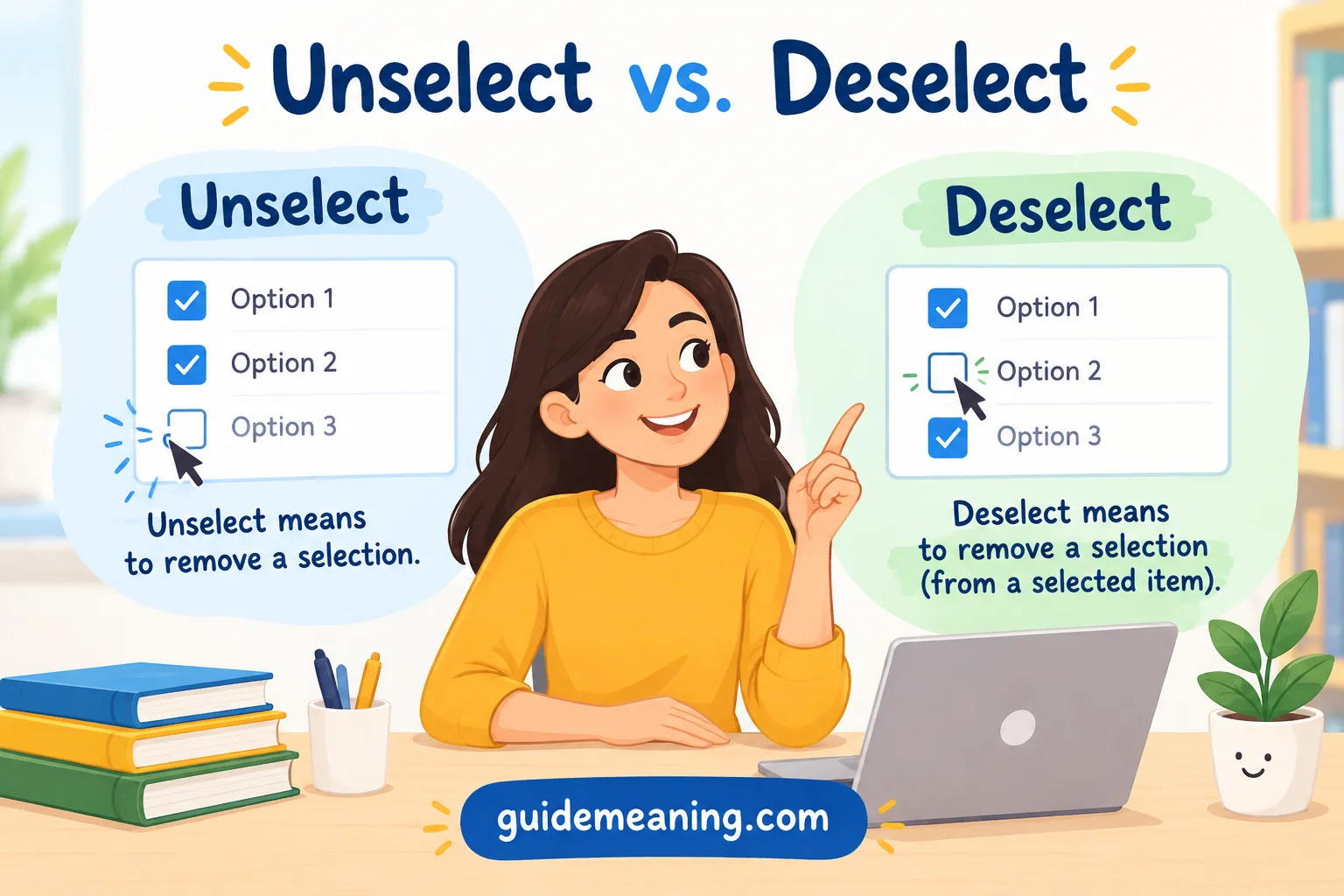

Unselect vs. Deselect matters in technical documentation because UI text shapes clarity, consistency, and the user experience across software menus. When I write microcopy for an entire product, I avoid wording that may create confusion for beginners in tech. The unselect vs deselect debate often centers on whether unselect or deselect is the right choice. Both can describe the action of remove selection, reversing, or canceling a selection, but deselect remains the preferred, standard term in professional writing, official specs, and user interface design. Although unselect is widely understood, it can sound informal, less precise, or like an unclear verb. In everyday speech, people may use both words interchangeably, yet product instructions and technical terminology usually benefit from one consistent choice. The context, situation, and audience can guide that decision, especially when the same wording appears across multiple interfaces.
The grammar behind these terms is straightforward. Select is the base verb, while un- and de- work as prefix forms that create related verbs. Deselect specifically refers to removing something that was previously selected. For example, a user might click a checkbox to undo a choice, deselect an option, or remove a file before an accidental upload. In the example sentence, “The user deselected the file,” deselected is a verb in the past simple, while the user is the noun subject. The sentence uses an active, clear verb phrase, and the subject–verb agreement is correct. Its modifiers also sit naturally beside the words they describe. By comparison, “The option was unselected by default” uses unselected as a past participle in the passive voice. Here, was is an auxiliary verb in the past simple, and the singular subject option agrees with it. “By default” functions as a prepositional phrase, while these parts of speech, verb tense, and sentence patterns help keep technical language precise.
In fast-paced environments, choosing the same term throughout your software helps prevent a break in style and reduces unnecessary uncertainty. A consistent approach also makes menus, interfaces, and technical documentation easier to scan. I generally use deselect when describing the action of removing a previously selected item because it clearly signals what the user needs to do. However, understanding unselect is still useful because you may encounter it in existing products, informal explanations, or everyday speech. The important point is to match the term to its context while keeping the surrounding words simple, accurate, and consistent.
Let’s dive in!
Quick Answer:
Deselect is generally the safer and more established choice, especially in professional, technical, and general writing.
Unselect can also mean to reverse a selection. It appears in some software interfaces, technical documentation, and computing terminology. WordWeb, for instance, lists unselect as a computing verb meaning to change an item in a user interface from the selected state to the unselected state.
Here’s the basic comparison:
| Word | Basic meaning | Common context | General usage |
| Deselect | Remove something from a selection | Computing, software, technical writing | More established |
| Unselect | Reverse or cancel a selection | Computing and some software terminology | Less conventional |
| Uncheck | Remove a check mark from a checkbox | Forms and software interfaces | Very specific |
For example:
- Deselect the file before deleting it.
- Deselect the checkbox if you don’t want email updates.
- Unselect the item before continuing.
All three sentences can communicate the intended action. The best choice depends partly on what exactly you’re changing.
What Does Deselect Mean?
Deselect is a verb that means to remove something from a selected state or selection.
In computing, this usually happens after you have already selected something. Perhaps you’ve highlighted a sentence, clicked a file, chosen a filter, or selected an image. When you reverse that action, you deselect the item.
Oxford’s American English Dictionary specifically recognizes deselect as a computing verb and defines it as removing something from the list of possible choices on a computer menu.
The word follows a useful pattern:
select → deselect
You first select something. Then you deselect it.
Examples of Deselect
Here are several natural examples:
- Deselect the checkbox if you don’t want promotional emails.
- Deselect the file before moving on.
- Deselect the highlighted text by clicking elsewhere.
- Deselect the image before editing another object.
- Deselect the filter to see all available results.
- Deselect all items before making a new selection.
Notice something important here. Deselecting doesn’t normally destroy or delete anything.
If you deselect a photograph, the photograph still exists. If you deselect a file, the file remains on your computer. If you deselect a checkbox, the option hasn’t disappeared.
You have simply changed its selection status.
Deselect in Computing and User Interfaces
The term is particularly useful in graphical user interfaces.
Imagine selecting three files in a folder. The files become highlighted. You then realize that one of them shouldn’t be included.
You don’t need to delete that file. You simply deselect it.
The distinction looks small, yet it matters:
Select changes an item into a selected state.
Deselect reverses that selection.
This distinction becomes especially useful in software instructions because users need to know whether an action changes a setting, removes an item, or merely changes what is currently selected.
What Does Unselect Mean?
Unselect is a verb that can mean to cancel or reverse a previous selection.
Its construction is easy to understand:
un- + select = unselect
The prefix un- commonly appears in English words that express reversal or removal of an earlier action or state. Think of words such as undo, unlock, and untie.
That’s why unselect feels perfectly logical to many English speakers.
And real usage backs that intuition up.
WordWeb lists unselect as a computing verb and gives the meaning of changing an item in a user interface from the selected state to the unselected state.
Microsoft also uses Unselect as an actual PowerPoint VBA method. Its documentation describes the method as canceling the current selection.
So saying that unselect has no use in English at all would be inaccurate.
Examples of Unselect
You may encounter sentences such as:
- Unselect the option if you don’t need it.
- Unselect the files you don’t want to upload.
- Unselect the highlighted items before continuing.
- Unselect the checkbox to turn off the option.
- Unselect all relationships before making a new selection.
IBM documentation, for example, uses UNSELECT as a command for changing selected relationships. Its documentation includes commands such as UNSELECT ALL.
That is strong evidence that the word has genuine technical use.
The issue, then, isn’t whether unselect can communicate the idea. It can. The issue is that deselect has stronger conventional support in standard English reference works, particularly for computing.
Unselect vs. Deselect: Key Differences
At first glance, the two words appear almost identical. In many software contexts, they are functionally synonymous.
Still, a few distinctions are worth understanding.
| Feature | Deselect | Unselect |
| Part of speech | Verb | Verb |
| Means reverse a selection | Yes | Yes |
| Used in computing | Yes | Yes |
| Dictionary recognition | Strong | More limited and context-dependent |
| Common in technical writing | Yes | Yes, but less consistently |
| Used in software commands | Yes | Yes |
| Best general-purpose choice | Usually | Context-dependent |
Meaning
The biggest overlap is meaning.
If someone says:
Deselect the image.
They generally mean that the image should no longer remain selected.
If someone says:
Unselect the image.
The intended meaning is usually exactly the same.
The reader doesn’t suddenly imagine the image disappearing. The instruction concerns its selection state.
Standard Usage
This is where deselect has an advantage.
Oxford explicitly lists the computing sense of deselect in its American English dictionary.
The word also appears as a computing entry in the Oxford Advanced Learner’s Dictionary.
That makes deselect a dependable choice when you’re writing instructions, documentation, educational material, or other content where conventional terminology matters.
Software and Interface Language
Software complicates the issue because software companies sometimes create or adopt their own terminology.
Microsoft’s PowerPoint VBA documentation provides a particularly clear example. It uses Unselect as the name of a method that cancels the current selection.
IBM documentation also uses UNSELECT as a command.
This means a technical writer shouldn’t automatically replace every occurrence of unselect with deselect. If you’re documenting a specific command or API named Unselect, changing the spelling would make the documentation inaccurate.
Terminology has to respect the product.
Is Unselect a Correct Word?
The answer depends on what you mean by correct.
If “correct” means understandable and actually used in English, then yes. Unselect has genuine usage, especially in computing.
If “correct” means the most established standard choice for professional English, deselect is usually the better option.
This distinction matters because language doesn’t operate like a simple two-button switch labeled correct and incorrect. Words can exist in specialized communities before they become widely established in general dictionaries.
Consider the evidence.
- WordWeb records unselect as a computing verb.
- IBM uses UNSELECT in technical documentation.
- Microsoft uses Unselect as a PowerPoint VBA method.
- Oxford recognizes deselect as a computing verb.
So the most accurate conclusion is simple:
Unselect is a real term in actual technical usage, while deselect is the more established general choice.
Is Deselect the Opposite of Select?
In computing contexts, deselect commonly functions as the opposite of select.
The relationship is straightforward:
Select → Deselect
For example:
- Select the file.
- Deselect the file.
Or:
- Select all photos.
- Deselect all photos.
This pairing is especially natural in interfaces where an item can move between selected and unselected states.
Why Does “De-” Work Here?
The prefix de- often contributes the idea of reversal, removal, or reduction.
You can see related patterns in words such as:
- activate → deactivate
- classify → declassify
- code → decode
- centralize → decentralize
- select → deselect
That doesn’t mean English speakers can attach de- to every verb and automatically create a standard word. English word formation doesn’t work that mechanically.
However, deselect is an established word, particularly in computing.
Can You Use Unselect and Deselect Interchangeably?
In many software situations, yes.
If you tell someone:
Deselect the checkbox.
and then say:
Unselect the checkbox.
the practical instruction remains clear.
However, interchangeability doesn’t mean the words have exactly the same status in every context.
Consider these three instructions:
- Deselect the option.
- Unselect the option.
- Uncheck the option.
They may all describe a similar action, but they aren’t equally precise in every interface.
Deselect
Use deselect when you’re talking generally about removing an item from a selection.
Deselect the files you don’t want to upload.
Unselect
Use unselect when it is established terminology within a particular application, system, or technical environment.
Click Unselect All to clear the current selection.
Uncheck
Use uncheck when the interface specifically involves a checkbox.
Uncheck the box if you don’t want notifications.
The last option can actually be more precise than either deselect or unselect when a checkbox is involved.
Read More: Rend vs. Rent: What’s the Difference? 2026
Unselect vs. Deselect in Software and Technology
Technology has given these words a particularly important home.
Modern interfaces constantly ask users to make selections. You select a file, filter results, highlight text, choose settings, mark images, and pick options.
Eventually, you need to reverse one of those actions.
That’s where selection terminology becomes useful.
Checkboxes
A checkbox usually represents a setting that can be marked or cleared.
For example:
Check the box to receive notifications.
Later:
Uncheck the box to stop receiving notifications.
You can also describe the second action as deselecting the checkbox, although uncheck is often more direct.
Multiple Files
Suppose you’re uploading ten photographs.
You select eight of them. Then you notice that two files are duplicates.
You can deselect the two duplicate files without deleting them.
That’s an important distinction:
Deselect ≠ delete
Text Selection
When you highlight text in a word processor, the text becomes selected.
Click somewhere else and the selection disappears.
You could describe that action as deselecting the text.
Filters
Search systems often allow multiple filters.
You might select:
- Blue
- Large
- In stock
Later, you remove one filter from the current selection.
Depending on the interface, you might deselect the filter or clear it.
Images and Design Tools
Graphic design programs frequently use selection states.
You can select an object, edit it, and then click elsewhere to deselect it.
Again, the object remains. Only its active selection state changes.
Deselect vs. Delete vs. Disable vs. Uncheck
One of the easiest ways to misuse deselect is to confuse it with another interface action.
| Term | What happens? | Example |
| Select | Marks an item as chosen | Select the image. |
| Deselect | Removes the item’s selected state | Deselect the image. |
| Unselect | Reverses a selection | Unselect the image. |
| Uncheck | Removes a check mark | Uncheck the box. |
| Delete | Removes the item or content | Delete the image. |
| Disable | Makes an option inactive or unavailable | Disable notifications. |
| Clear | Removes entered or currently displayed information | Clear the search field. |
This table reveals why precise terminology matters.
If a help article tells users to delete an image when the intended action is to deselect it, the user could lose data.
That’s more than a grammar problem. It’s a usability problem.
Why Does Deselect Sound More Natural Than Unselect?
There’s a linguistic reason deselect often feels more established.
English already uses de- in several verbs that describe reversing an existing process or changing an established state. Deactivate, declassify, and decode are familiar examples.
Unselect follows another productive English pattern. Words such as undo, unlock, and untie show how un- can express reversal.
Both formations are understandable.
However, only one has become the more established term in major computing dictionaries. Oxford’s American English Dictionary lists deselect specifically as a computing verb.
That familiarity matters in professional writing.
When readers see deselect, many already understand the exact interface action being described.
Common Mistakes With Unselect and Deselect
Mistake: Saying “Unselect Is Always Wrong”
This claim goes too far.
Actual technical usage proves otherwise. Microsoft and IBM both use unselect in their documentation.
So calling the word universally incorrect ignores how English actually works.
Mistake: Treating Deselect as Delete
This is a more serious mistake.
If you deselect a file, you haven’t necessarily removed it.
You’ve only removed it from the current selection.
Think of a shopping cart. Taking an item out of your hand doesn’t destroy the item. It simply means you aren’t holding it anymore.
The same basic idea applies to selection states.
Mistake: Switching Terminology in One Interface
Consistency matters.
Suppose an application uses Select All in one menu and Unselect All in another. Its documentation then tells users to deselect items.
The user can probably understand all three expressions. Still, the terminology feels inconsistent.
A well-designed interface should establish a vocabulary and use it consistently.
Mistake: Assuming Prefixes Determine Correctness
It’s tempting to reason like this:
“Undo means reverse. Therefore, unselect must be the correct word.”
That logic doesn’t quite work.
English contains countless words whose formation makes sense but whose actual usage differs from what a learner might predict.
Real usage determines whether a word becomes established.
Case Study: Why Software Terminology Matters
Imagine a photo-management application with 500 images.
A user selects 50 images for export. Then the user realizes that five photographs contain private information.
The interface offers three possible commands:
- Delete
- Deselect
- Unselect
These commands don’t carry the same practical meaning.
Delete suggests that the files will be removed.
Deselect suggests that the files will remain available but won’t participate in the current operation.
Unselect can communicate the same second idea, particularly if the software already uses that terminology.
The lesson is straightforward: interface language should describe the actual state change as precisely as possible.
This is why technical writers shouldn’t treat word choice as decoration. A single verb can tell users whether their files remain safe.
Unselect or Deselect in a Sentence
Seeing both words in complete sentences makes the difference easier to remember.
Sentences With Deselect
- Deselect the file before you start the upload.
- Deselect any filters you no longer need.
- Click the image again to deselect it.
- Deselect the highlighted text before typing.
- Deselect all options and start again.
- You can deselect individual items without deleting them.
These sentences fit naturally into technical instructions and general explanations.
Sentences With Unselect
- Unselect the file before continuing.
- Unselect the options you don’t want.
- Click the item again to unselect it.
- Unselect all objects before applying the effect.
- Use the Unselect command to cancel the current selection.
The examples are understandable because the intended meaning is clear.
The difference is mainly one of conventionality and context, not basic comprehension.
How to Remember Unselect vs. Deselect
Here’s a simple memory trick:
Select it → Deselect it.
Think of deselect as the standard companion to select in technical writing.
If you’re writing a help article, instruction manual, tutorial, or professional document and you have no reason to follow product-specific terminology, deselect is usually the straightforward choice.
For checkboxes, remember another useful pair:
Check it → Uncheck it.
That distinction can make your writing more precise.
A Simple Real-Life Analogy
Imagine choosing books at a library.
You place three books on your desk because you’ve selected them.
Then you decide you don’t want one.
You don’t throw the book away. You simply remove it from your chosen group.
That’s essentially what deselect means in many digital interfaces.
When Should You Use Deselect?
Choose deselect when you want the most established and broadly recognizable term for reversing a selection.
It works especially well in:
- Technical documentation
- Software tutorials
- Help articles
- User guides
- Professional writing
- Educational material
- General explanations of computer interfaces
For example:
Deselect the checkbox before submitting the form.
That’s clear, concise, and conventional.
Oxford’s American English Dictionary explicitly recognizes deselect in the computing sense, which makes it a strong choice for this kind of writing.
When Should You Use Unselect?
Use unselect when you’re following established terminology within a specific product or technical system.
This point is important.
If an application literally labels a button Unselect All, documentation about that application should normally preserve the product’s terminology. Changing it to Deselect All could make users search for a button that doesn’t exist.
Microsoft’s PowerPoint VBA documentation provides a clear example of this situation because Unselect is the actual method name.
IBM documentation provides another example through its UNSELECT command.
In other words:
Use standard terminology when you’re choosing your own wording. Preserve exact terminology when you’re documenting a named feature.
Unselect vs. Deselect: Which One Should You Use?
For most general and professional writing, deselect is the safer choice.
That doesn’t make unselect meaningless or unusable. It simply reflects the fact that deselect has clearer support as an established computing term in major reference works.
The practical rule is easy:
- Use deselect when writing your own general instructions.
- Use unselect when a specific software product uses that term.
- Use uncheck when you’re specifically talking about removing a checkbox mark.
- Use delete only when the item itself will be removed.
- Use disable when an option becomes inactive rather than merely unselected.
This approach keeps your writing both natural and technically accurate.
Quick Comparison: Unselect vs. Deselect
| Question | Unselect | Deselect |
| Is it understandable? | Yes | Yes |
| Can it describe reversing a selection? | Yes | Yes |
| Does it appear in technical usage? | Yes | Yes |
| Is it used as an actual software command? | Yes | Yes |
| Is it recognized as a computing term by Oxford? | Not in the cited entry | Yes |
| Is it a good general choice? | Context-dependent | Usually |
| Should you use it when a product specifically names a command “Unselect”? | Yes | No—preserve the product’s wording |
| Does it mean delete? | No | No |
| Does it always mean uncheck? | No | No |
FAQs:
Is “deselect” or “unselect” correct?
Deselect is the standard and more common choice in technical and professional writing. Unselect is understandable, but it is less common and can sound informal.
What does “deselect” mean?
Deselect means to remove an existing selection. For example, you can deselect a checkbox, file, option, or item that you previously selected.
Is “unselect” a real word?
Yes. Unselect is used and generally understood, especially in software and everyday contexts. However, deselect is usually preferred when you want precise technical wording.
Can I use “unselect” in software instructions?
You can, but deselect is usually clearer for formal software instructions and technical documentation. Consistent terminology also makes UI instructions easier to understand.
What is the difference between “unselect” and “deselect”?
Both words generally mean the same thing: removing a selection. Deselect is more established in technical terminology, while unselect is less formal and less precise.
Should I use “deselect” in UI text?
Yes, deselect is a suitable choice for UI text when an interface allows users to remove a previous selection. For example, “Deselect this option” clearly tells the user what action to take.
Is “deselected” grammatically correct?
Yes. Deselected is the past tense and past participle of deselect. For example, “The user deselected the file” uses the simple past, while “The option was deselected” uses the past participle in a passive construction.
Conclusion:
Unselect and deselect both describe removing a selection, but they don’t carry the same level of formality. Deselect is generally the clearer choice for technical documentation, UI text, software instructions, and professional writing. Unselect remains understandable and appears in everyday or informal usage. When consistency and precision matter, choosing deselect can keep your wording clear across your entire product.



1 thought on “Unselect vs. Deselect: What’s the Difference? 2026”